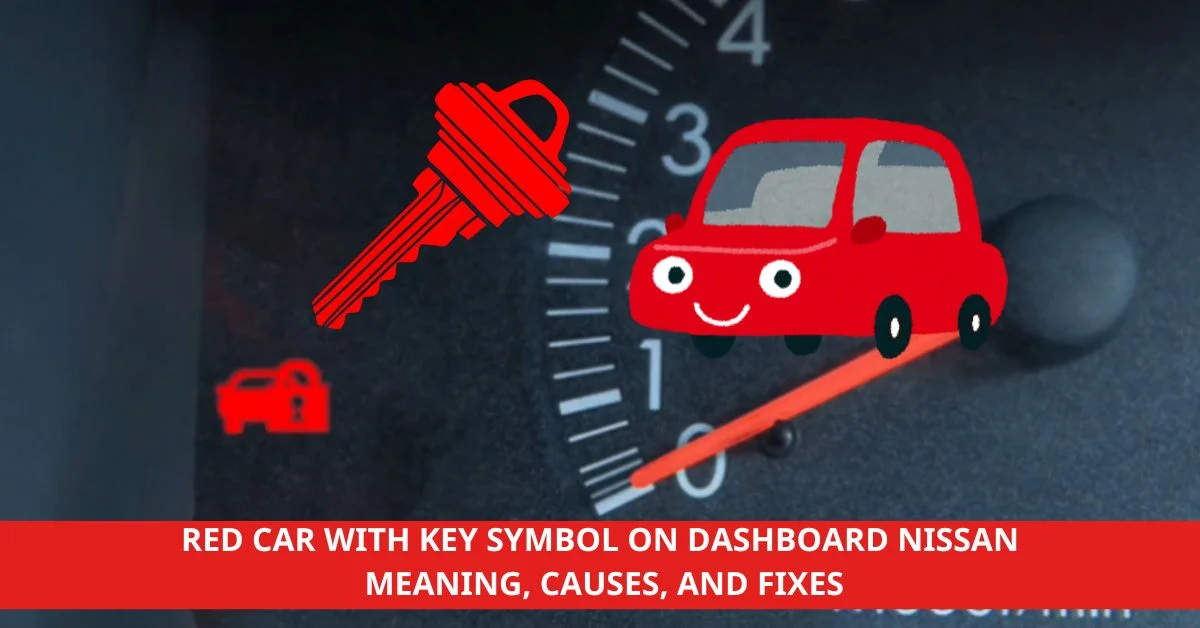
We’ve all been there—you’re driving your Nissan, and suddenly, a red car with a key symbol lights up on the dashboard. It’s one of those moments that can make us pause and wonder if something serious is going on. While it might look alarming, this symbol is more common than we think and typically tied to your car’s security system.
Understanding what this warning means can save us from unnecessary stress and even a trip to the mechanic. Whether it’s a simple key fob issue or something more technical, knowing the basics can help us troubleshoot quickly. Let’s break it down so we’re all prepared the next time this symbol pops up.
Understanding The Red Car With Key Symbol On Dashboard In Nissan
This symbol can appear unexpectedly, leaving drivers unsure about what action to take. Having a clear understanding helps us address the issue confidently.
Recommended Products

**Please confirm compatibility using the fitment guide located in the product images** This battery will not fit unless your key fob matches one of the examples provided.

Key Fob Battery Replacement is compatible with Nissan smart key fobs; models: Rogue, Altima, Sentra, Versa, Pathfinder, Murano, Rogue Sport, Maxima, Kicks, Titan, Frontier, Armada, Leaf, Juke, Quest, Titan XD, Rogue Select, 370Z, GT-R, 400Z, Ariya, and Z, and Infiniti.

PERFECT FIT FOR NISSAN KEY FOBS - Wide range of Nissan models, Rogue, Altima, Sentra, Versa, Pathfinder, Murano, Rogue Sport, Maxima, Kicks, Titan, Frontier, Armada, Leaf, Juke, Quest, Titan XD, Rogue Select, 370Z, GT-R, 400Z, Ariya, Z and Inifiniti.
What Does The Red Car With Key Symbol Mean?
The red car with key symbol on the dashboard of a Nissan vehicle signifies a potential security system concern. It often relates to the Nissan immobilizer system, which prevents unauthorized vehicle use. The light may indicate that the key fob is not detected, the key battery is low, or there is an issue with the key’s programming.
Why Is The Symbol Displayed?
The symbol is displayed to communicate a problem with the Smart Key system. It occurs when the vehicle cannot recognize the key fob due to reasons like low key battery, interference from another device, or a malfunction within the car’s electronic system. For instance, proximity to certain radio frequencies can sometimes disrupt communication between the fob and the car.
Materials And Tools Needed
Gathering essential materials and tools simplifies resolving the red car with key symbol on the dashboard of a Nissan. Here are specific items to prepare for troubleshooting.
Recommended Products

HIGH-QUALITY: Every Single Keyless Entry Remote Control Car Key Fob is Fully Pre-tested by Professional Locksmith Tools before Shipping. All Our Key Fobs are Pre-installed with Battery and Electronics.
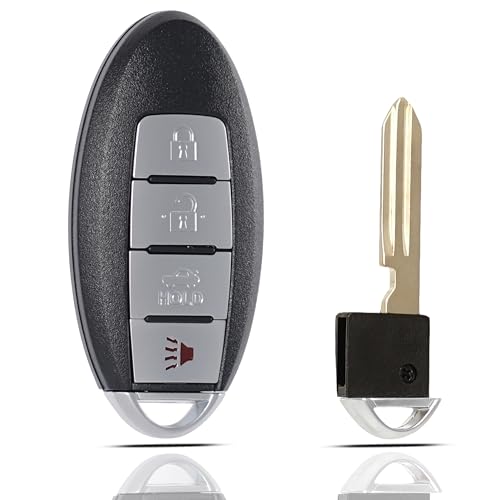
Replacement: FCC ID: CWTWB1U840, part numbers: 285E3-3SG0D, 285E33SG0D. IC ID:1788D-FWB11U840. Frequency:315Mhz. Chip:46

BUILT WITH LATEST TECHNOLOGY PROXIMITY SMART KEY: Start your engines and enter your vehicles using our FCC ID Registered Keyless2Go New Replacements for Smart Proximity keyless entry remote keys. These are brand new high-quality hands-free proximity replacements for select vehicles with push-button ignition access. Our key fob is engineered with high security functionality. Replace your lost or broken remote key quickly and easily with this FCC Registered Keyless2Go Proximity Smart Key.
Key Fob Battery
Replacement key fob batteries are crucial when addressing issues with the security system. Use a compatible battery type, often a CR2032 or CR2025, depending on the Nissan model. Confirm the required type in the owner’s manual.
Spare Key (If Available)
A spare key helps determine if the issue originates from the primary key fob or the car’s immobilizer system. Use the spare key to test if the security system light remains active or resolves.
Owner’s Manual
The owner’s manual contains guidance for interpreting dashboard symbols and troubleshooting key-related problems. Refer to the manual for specific steps and recommendations for your Nissan vehicle.
Basic Tools (Optional)
Basic tools, such as a small flathead screwdriver or plastic pry tool, assist in opening the key fob casing to replace the battery. Keep these tools handy to avoid damaging the key fob.
Steps To Fix The Issue
Addressing the red car with key symbol on the dashboard in a Nissan involves following specific steps to identify and resolve the problem effectively.
Recommended Products

High-quality: Every Single Keyless Entry Remote Control Car Key Fob Is Fully Pre-tested by Professional Locksmith Tools before Shipping. All Our Key Fobs are Pre-installed with Battery and Electronics

【Programming Methord】DIY programming is NOT available, it's necessary to be cut and programmed by a qualified dealer or locksmith.【NOTE】This smart key fob supports push-button vehicles only, not for regular key or keyed Ignition vehicles.

Fits Model:Compatible With Altima Pathfinder Armada Murano Maxima Rogue Infinity 4 buttons keyless entry remote control smart key.
Step 1: Check Your Nissan Key Fob Battery
Inspect the key fob to confirm the battery status. A low or drained battery can prevent the car from recognizing the key fob, triggering the red car with key symbol.
- Open the key fob casing using a small flathead screwdriver.
- Examine the existing battery type, typically CR2032 or CR2025.
- Replace the old battery with a fresh one, ensuring correct polarity.
If replacing the battery does not resolve the issue, the problem might be related to key fob programming or the vehicle’s immobilizer system.
Step 2: Verify The Ignition System
Confirming that the ignition system functions correctly is essential when addressing the red car with key symbol on the dashboard in a Nissan. This step ensures that the vehicle recognizes the key and begins normal operation.
Recommended Products

💝📢【Read Carefully before Purchasing】▶Battery (CR2032) not included. ▶This is just an b.lank car key which need to be programmed before use, you need extra Autel MaxiIM tool like KM100 (X)/ IM508S PRO/ IM608 PRO II to program it. 👨🎓NOTE: If you don't have the programming tool, you can take the key to a Auto Mechanic or l0ck.sm.th for cutting and programming. ▶Please be informed that the blade is Ni.ssan-type which may fit your car and the blank blade needs to be cut.

💝📢【Read Carefully before Purchasing】▶Battery (CR2032) not included. ▶This is just a blank key which need to be programmed before use, you need Autel MaxiIM tool to program it. 👨🎓 If you don't have the programming tool, you can take the item to a professionals or dealship for cutting and programming. ▶ Blank rescue blade is included and need to be cutted according to your car. Any questions, please contact 📞Autelonline @ outlook . com 📞for assistance. We offer 7/24/365 support.
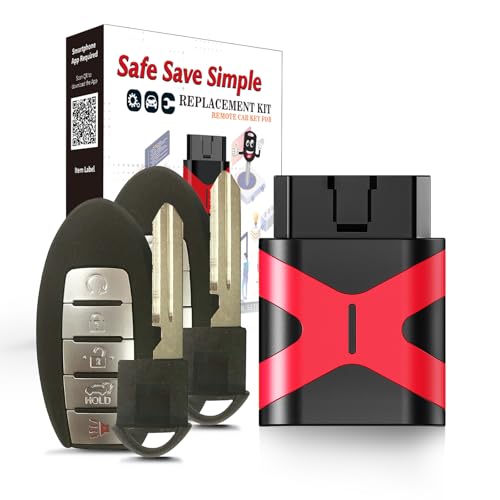
COMPATIBILITY: Compatible with FCC ID KR5S180144014, 47 Chip , This Remote Key Fob Replacement for Nissan Altima Maxima Murano Pathfinder 2013 2014 2015
Ensuring The Key Is Detected
Activate the ignition by inserting the key or using the push-start button for keyless entry models. Verify that the system detects the key by observing the dashboard. If the red car with key symbol remains illuminated, reposition the key closer to the start button or ignition slot for a stronger signal. For key fobs, remove other electronic devices nearby to reduce interference.
Test the spare key if the symbol persists. A functional spare can indicate that the primary key fob requires reprogramming or repair. If neither key is detected, the ignition system or immobilizer may need professional inspection.
Step 3: Inspect The Vehicle’s Anti-Theft System
The anti-theft system in a Nissan plays a critical role in vehicle security, and the red car with key symbol on the dashboard often points to its activation or a system fault.
Recommended Products
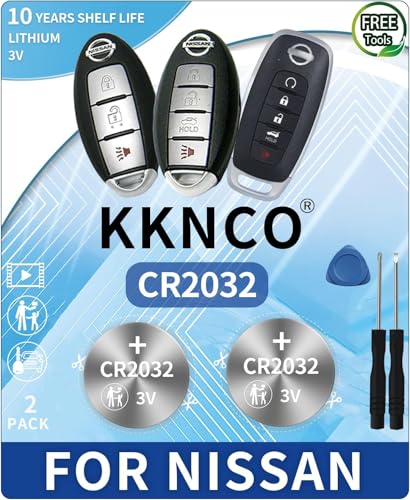
PACKAGE INCLUDED : Two (2) CR2032 Remote Fob Batteries and Opening/Pry Tools , Five item bundle (total 5pcs) , PLEASE NOTE: Keyless entry remote fob not included. Original Battery as Provided by Nissan Manufacturer

[Original OEM Battery as Provided by Manufacturer] - our CR2032 batteries are sourced from the same trusted manufacturer used by Chevy & GMC, Please refer to the fitment guide in the product images to check for compatibility.

Avoid expensive dealer service charges and easily replace your key fob battery yourself
Anti-Theft System Activation
The anti-theft system automatically activates when the vehicle is locked using the key fob or manual locking methods. This system engages sensors and immobilizers that prevent unauthorized access or ignition. If the red car with key symbol remains illuminated, it may indicate that the system cannot detect a valid key. Factors like a drained key fob battery, a damaged key fob, or interference from electronic devices can interrupt proper activation. Referencing the owner’s manual can help clarify specific triggers for the symbol.
How To Reset The Anti-Theft System
Resetting the anti-theft system helps restore proper function. Start by unlocking the driver’s door with the physical key or the key fob and ensure all doors are fully closed. Insert the key into the ignition and set it to the “ON” position without starting the engine. Leave the key in this position for 5 seconds, then switch it back to the “OFF” position and remove it. Repeat this process twice more. Test if the red car with key symbol on the dashboard disappears by locking and unlocking the car.
If the symbol stays illuminated after the reset process, it may indicate a more complex issue with the immobilizer or the key fob requiring professional assistance.
Step 4: Check For A Faulty Key Or System Malfunction
Inspecting for a faulty key or system malfunction helps determine if the red car with key symbol on the dashboard of a Nissan is caused by a deeper technical issue. Start by examining the key fob for visible damage, such as cracks in the casing or unresponsive buttons. These issues may indicate a broken key fob that prevents proper communication with the car.
Test the key fob’s functionality by trying to lock or unlock the vehicle. If it does not respond, use a spare key fob. If the spare works, the primary key fob is likely faulty and requires repair or replacement. For issues persisting with both key fobs, focus on potential malfunctions in the vehicle’s system.
Attempt a system reset by turning the ignition to the “ON” position without starting the engine. Observe whether the symbol disappears. If the light remains active, contact a certified Nissan technician, as diagnosing and fixing more complex system malfunctions often requires professional tools and expertise.
Recommended Products

COMPATIBLE WITH AIRTAG & KEY FOBS: Works with Apple AirTag, all major car key fobs (Toyota, Honda, BMW, Ford, Chevrolet, Lexus), fitness trackers, glucose monitors, tire pressure sensors, and any CR2032 / 3V lithium coin battery device.

BROAD COMPATIBILITY ACROSS BRANDS - Compatible with all major car brands, fits with TOYOTA, VOLKSWAGEN, HONDA, CHEVY, BMW, HYUNDAI, KIA, FORD, LEXUS, JEEP, AND ALL OTHERS. Most of the car key fobs use this type of CR2032 batteries. Direct battery replacement for your key fob.

Keyless entry remote fob not included: This listing is for OEM Original replacement batteries as provided by Manufacturer for (Smart Key) Remote Fobs.Bundle of Two (2) CR2032 Remote Fob Battery and Opening/Pry Tool.
Troubleshooting Common Issues
Addressing the red car with key symbol on the dashboard of a Nissan involves multiple steps. Some issues may persist even after initial fixes, requiring further troubleshooting.
Recommended Products

fits Nissan Frontier Armada Murano Pathfinder Quest Sentra Titan Versa Xterra / Infiniti QX4 FX35 FX45

HIGH-QUALITY: Every Single Keyless Entry Remote Control Car Key Fob is Fully Pre-tested by Professional Locksmith Tools before Shipping. All Our Key Fobs are Pre-installed with Battery and Electronics.

Replacement: For Remote fob FCC ID: KR5TXN4; Continental: S180144803; Part # 285E3-6CA6A ; Frequency:433MHz; Key Fob Replacement Suitable for 2019 2020 2021 2022 2023 Nissan Altima/2020 2021 2022 2023 Nissan Versa & Sentra
What If The Key Fob Battery Replacement Doesn’t Work?
Replacing the key fob battery may not always resolve the red car with key symbol issue on a Nissan dashboard. If the symbol remains lit, ensure the new battery is securely installed with correct polarity. Verify the battery is fresh by testing another new one if available. Check for dirt or debris inside the key fob casing, as this can prevent proper contact.
If the key fob is still not being detected, interference from electronic devices nearby, such as smartphones, could be the cause. Move them away from the vehicle and attempt to unlock or start the car again. When these steps fail, reprogramming the key fob may be necessary, which often requires a visit to a certified Nissan technician.
Dealing With A Malfunctioning Key Fob
A malfunctioning key fob can also cause the red car with key symbol to appear on your Nissan dashboard. Inspect the exterior of the key fob for visible damage, like cracks or worn buttons. Test functionality by locking or unlocking the car from a reasonable distance. Testing a spare key fob can help confirm if the primary one has failed.
If neither key fob works, the issue might stem from the vehicle’s electronic system. Reset procedures may resolve minor glitches. Try resetting by removing the battery from the key fob for at least 30 seconds before reinserting it. If problems persist, contact a Nissan technician for diagnostics and possible repair or reprogramming.
When Your Nissan Won’t Start Despite Fixing The Symbol Issue
If a Nissan refuses to start after addressing the red car with key symbol warning, the immobilizer system or ignition components may need attention. Check if both the dashboard and the ignition recognize the key fob when positioned close to the start button or ignition slot. For push-button start systems, pressing the key fob directly against the button may establish a connection temporarily.
A drained car battery or faulty starter motor might also prevent the engine from starting, even when the symbol issue is fixed. Inspect the car battery clamps for secure connections and signs of corrosion. If necessary, jumpstart the vehicle and monitor the dashboard for any additional warnings. When all attempts fail, reaching out to a Nissan service center ensures proper diagnosis and repair of complex starting issues.
Professional Help And Alternatives
Some issues with the red car with key symbol on the dashboard in a Nissan require expert intervention. Understanding when and where to seek help saves time and prevents further complications.
Recommended Products

【FIT MODELS】This Smart Key Fob is compatible with 2017 2018 2019 2020 2021 Altima Rogue Maxima Sentra Armada Sedan Murano Pathfinder and for Infiniti etc 5 Buttons Smart Key. Please refer to the product details page for specific information. Note: Please DOUBLE CHECK your key shape before placing the order.

【Replacement】For FCC ID:KBRASTU15, CWTWB1U415, CWTWB1U733, CWTWB1U821; P/N:28268-5W501, 28268-5W500 28268-7Z800, 28268-C990A; Frequency:315 MHZ; Please Make Sure That Your Original Remote Has the Same Buttons on it
When To Visit A Nissan Service Center
Persistent issues or advanced system errors often call for a visit to a Nissan service center. If the red car with key symbol remains illuminated after checking the key fob battery, reprogramming, or resetting the anti-theft system, professional diagnostics are necessary. Service centers use specialized tools to inspect the immobilizer system, key recognition hardware, or ignition issues. We recommend scheduling an appointment if the vehicle fails to respond to both primary and spare keys, as this could indicate a deeper issue within the car’s electronic systems.
Can A Locksmith Help With Key Fob Issues?
Locksmiths can assist in resolving key fob-related concerns. For problems like reprogramming or replacing a damaged key fob, automotive locksmiths with experience in Nissan vehicles offer effective solutions. If the fob’s internal components are faulty or if a replacement key is needed immediately, locksmiths equipped with programming tools provide an alternative to dealership services. Visiting a licensed locksmith is especially helpful when diagnosing whether the fob itself is the source of the issue related to the red car with key symbol.
Prevention Tips
Minimizing the appearance of the red car with key symbol on the dashboard of a Nissan vehicle starts with proactive care. Following these simple measures ensures fewer interruptions caused by security system alerts.
Recommended Products

DO IT YOURSELF – Simple Car Key Replacement that you can do yourself without going to the dealership, paying hundreds of dollars.

Compatible Vehicles for Nissan Altima 2022 2023 2024

Compatibility——Before programming, please ensure that your new key is compatible with your car, especially paying attention to the year, model, key appearance, chip and other information of your car's original key is the same, so as not to be unsuitable
Regularly Check And Replace The Key Fob Battery
Inspecting the key fob battery every 6 to 12 months helps prevent unexpected warning light activations. Weak batteries often disrupt communication between the key fob and the vehicle’s immobilizer system, triggering the red car with key symbol. If the battery appears low, install a new one of the correct type, such as CR2032 or CR2025, to maintain uninterrupted operation. Use a small flathead screwdriver to open the key fob casing, and confirm the battery polarity during replacement.
Keeping Spare Keys Handy
Keeping a spare key accessible provides an alternative when the primary key fob malfunctions. Test spare keys periodically to ensure compatibility with your Nissan’s system, especially if the primary key causes the dashboard to display the red car with key symbol. Store the spare key in a secure, interference-free location to avoid degradation or damage, and avoid relying solely on one key fob to reduce downtime in emergencies.
Conclusion
Understanding the red car with key symbol on your Nissan’s dashboard can save us from unnecessary stress and confusion. By staying proactive with key fob maintenance and knowing how to troubleshoot common issues, we can address this warning with confidence.
If the problem persists or seems more complex, it’s always a good idea to reach out to a professional. Let’s remember that a little preparation goes a long way in keeping our vehicles running smoothly and securely.
Recommended Products

Energizer CR1632 Lithium Coin Battery (Pack of 5 Batteries)
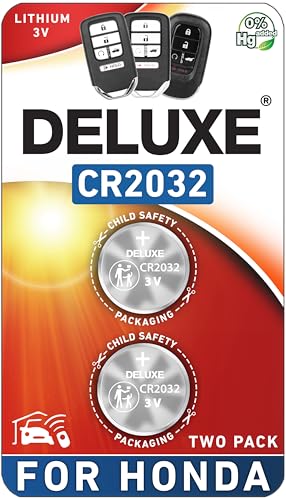
CONFIRM FIT - **Please confirm compatibility using the fitment guide located in the product images**
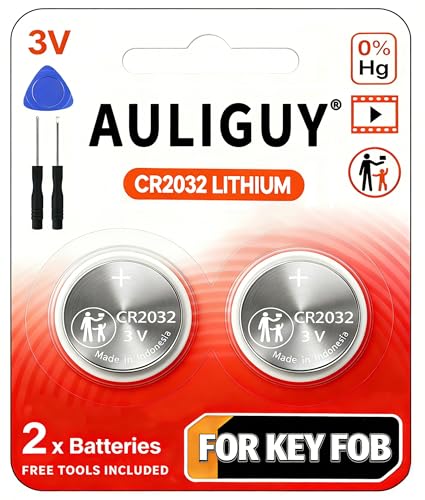
[Original Key Fob Battery as Provided by Manufacturer] - Keyless entry remote fob not included. (Note: For compatibility, your key fob must use a CR2032 battery. )